


FaceApp: Perfect Face Editor
FaceApp Technology Ltd
I tried FaceApp as a quick portrait editor rather than treating it like a full photography studio, and that distinction matters. It is built around changing the appearance of a face in a photo with very little effort, so the experience feels closer to choosing a visual idea and checking the result than carefully adjusting every image parameter by hand. For casual selfies, profile pictures, and playful before-and-after edits, that focus can be genuinely useful. For photographers who want detailed control over light, color, layers, or composition, it is a much narrower tool.
FaceApp Technology Ltd developed this free photography app, whose central promise is simple: help a portrait look more polished or noticeably different without requiring editing experience. It has been available since February 14, 2017, and its scale is hard to ignore: the app has passed 500 million installs and holds a 4.3 average from around 5.3 million ratings. Those figures do not make it automatically right for everyone, but they do reflect how widely the app has become part of everyday selfie editing.
How FaceApp fits into everyday photo editing
The first thing I noticed is that the app is much easier to approach than a traditional editor. Instead of beginning with a crowded collection of sliders, I could start with a face photo and explore transformations that are immediately visible. That makes the learning curve gentle. Someone who rarely edits pictures can understand the basic appeal within minutes, while a more experienced user can move quickly through ideas without building an effect from scratch.
Related News

Audiomack: Music Downloader – Your Weekly Soundtrack Revolution

How FaceApp: Perfect Face Editor is Shaping the Future of Selfies

How Google Photos Redefined the Photography App Market
The app’s “Natural Beauty, Selfie Retouch” positioning is important because it suggests two different uses. One is subtle improvement: making a selfie feel more presentable while keeping it recognizable. The other is experimentation: trying a different look simply to see how the portrait changes. I found the second use more entertaining, but the first is where the app can become part of a practical routine.
A realistic example is preparing a new profile picture after taking several indoor selfies. Rather than opening a desktop editor, I could compare a few versions on the phone, reject the ones that looked too artificial, and keep the one that improved the overall impression without becoming distracting. The speed is useful when the goal is a single social image, not a carefully produced photo series.
Latest News

Uber Eats Under Pressure: What Happens When Delivery Goes Wrong

How QR & Barcode Scanner Adapts to Android and iOS Innovations

Why Waze Navigation & Live Traffic Is Your Essential Travel Companion

CapCut Mastery: Unleash Hidden Features for Pro-Level Editing

How OS Updates Enhance Roblox Adventures

Teacher Simulator: Exam Time Turns Quick Classroom Judgments into a Repetitive Loop
That convenience also explains the app’s limitations. FaceApp is not trying to replace a general-purpose editor for landscapes, product photos, posters, or detailed retouching work. Its strongest results depend on having a clear, usable face in the original image. If the portrait is heavily obscured, poorly framed, or unsuitable for the effect being considered, the app cannot turn it into a carefully controlled studio image.
What the free experience is really worth
The app is free to download, which makes it easy to test without committing money at the beginning. That matters here because the real question is not whether the concept sounds appealing; it is whether the particular transformations fit your own photos and taste. I would recommend starting with a small set of ordinary images rather than assuming every selfie will benefit equally.
FaceApp also includes in-app purchases priced from $4.99 to $99.99 per item. I treat that range as a reason to inspect the purchase screen carefully before paying, especially if I only need occasional portrait edits. The free entry point offers a low-risk way to understand the workflow, while paid value depends on how often you edit and how much access the selected purchase provides. I would not describe a purchase as automatically worthwhile for someone who opens the app only once in a while.
Gallery
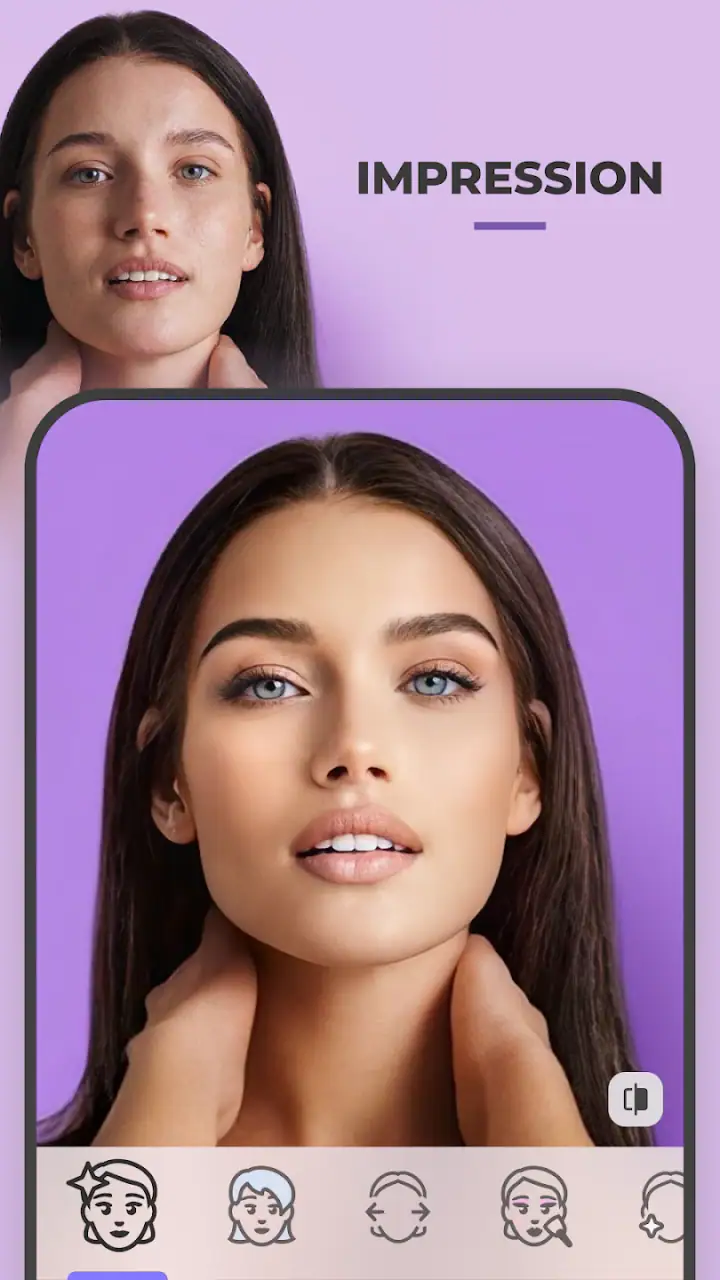
This is where FaceApp differs from many conventional photo editors. A standard editor often gives me a broad toolkit and expects me to do the work: crop, exposure, color, sharpness, masking, and perhaps layers. FaceApp is more immediate. It can be more satisfying when I want a recognizable result quickly, but less satisfying when I want to decide exactly how each part of the portrait changes.
I also would not confuse a free download with unlimited free value. The app can be explored without payment, but the presence of paid items means the practical value of the free experience should be judged on its own. If the available tools already cover your occasional needs, there may be no reason to buy anything. If the app becomes a regular part of your profile-picture or selfie workflow, the purchase decision should be based on repeated usefulness rather than curiosity after the first session.
Small workflow choices that improve the results
My first useful habit was to compare the edited image with the original before saving or sharing it. Face-focused effects can look impressive in the moment because the change is dramatic, but a side-by-side check makes it easier to notice when the result no longer resembles the person. I prefer edits that preserve the expression, lighting character, and identity of the original photo.
A second habit is to choose the source image deliberately. A front-facing portrait with the face clearly visible gives the app a better starting point than a group shot where several faces compete for attention. I also found it more practical to test one image at a time instead of importing a large batch immediately. That keeps the process focused and prevents a collection of similar edits from becoming difficult to compare.
The third insight is that subtlety is often more useful than the most dramatic preview. A strong transformation may work for a joke or a private experiment, but it can feel out of place as a professional profile picture or a family image. I would create the bold version first if I wanted to explore the range, then return to a restrained result for anything I planned to show publicly.
Another worthwhile workflow is to keep the original photo untouched and treat every edited version as a separate choice. That sounds obvious, but it changes how freely I experiment. I can test an unusual look without worrying that I have replaced the only copy of a meaningful portrait. It also makes it easier to revisit the image later with a different preference instead of being locked into the first result.
Where the app feels strong
The biggest strength is immediacy. FaceApp turns a potentially complicated portrait-editing decision into a visual comparison that is easy to understand. I do not need to know what a particular technical adjustment does before trying it. The preview itself answers the question, which is especially helpful for users who care about the finished appearance more than the editing process.
It is also well suited to social situations. If a friend asks for a cleaner profile image, or I want to test a different portrait style before posting, the phone-based workflow is less intimidating than opening a professional editor. The app’s focus keeps the session short, and that can be a genuine advantage when the image is casual rather than important enough to justify detailed work.
FaceApp can also encourage visual judgment. By showing how a face changes under different treatments, it makes me think about the boundary between enhancement and alteration. That is more valuable than simply pressing a button and accepting the first result. The best use, in my opinion, is not blindly applying an effect but using the quick previews to decide what still feels like an honest representation.
The app’s broad popularity supports its accessibility. With around 76 thousand written reviews alongside its much larger rating base, there is clear evidence that many people have made it part of their photo-editing habits. I still would not use popularity as a substitute for testing, because portrait preferences are personal and the same result that looks polished to one person may look exaggerated to another.
Where the trade-offs become noticeable
The main trade-off is control. FaceApp is convenient because it simplifies the edit, but that simplicity means I have less say over the exact strength, placement, and character of a change than I would in a more traditional editor. When the result is almost right but not quite right, I may have fewer ways to correct it manually.
That matters for consistent work. If I were preparing a set of portraits that needed to match closely, I would prefer a tool with more dependable control over every image. FaceApp is better for individual decisions than for a carefully standardized visual identity. It can help me find an appealing direction, but it is not the first tool I would choose for a professional retouching pipeline.
There is also a social trade-off to consider. A heavily altered face can create an expectation that the person will look the same in ordinary circumstances. For personal experimentation, that may not matter. For dating profiles, work-related accounts, or any setting where trust is important, I would keep the change modest and make sure the final picture still represents me fairly.
Another limitation is that the app’s appeal is concentrated in portraits. If my main interest is correcting a crooked horizon, balancing a sunset, removing distractions from a room, or designing a collage, a broader photography app will probably deliver more value. Choosing FaceApp for those jobs would mean paying for specialization while still needing another editor for the rest.
The purchase range also creates a value question rather than a simple recommendation. A person who wants a quick free experiment may be perfectly satisfied without spending anything. A frequent user may find paid access worthwhile, but only after identifying which tools are genuinely used. I would avoid buying out of pressure from a single impressive preview; repeated usefulness is a better test than novelty.
Who is most likely to enjoy it
I think FaceApp is a strong match for people who regularly take selfies, want a fast way to explore portrait changes, or dislike the technical side of photo editing. It is especially approachable for someone who wants to improve one image at a time and make a decision visually. The Everyone age rating also makes it broadly accessible as a category of app, although individual users should still think carefully about how edited images are shared.
It can be useful for creators who need quick portrait variations before settling on a profile image, provided they are comfortable checking each result for realism. It may also suit families and friends who want a lighthearted editing session. In both cases, the value comes from speed and experimentation rather than from professional precision.
I would be more cautious about recommending it to photographers who already work comfortably with detailed retouching tools. If you need exact skin cleanup, controlled color grading, selective adjustments, or a repeatable process across many images, a full editor is likely the better investment. The same applies to anyone who dislikes automated-looking changes or wants to preserve complete authorship over every adjustment.
People who are sensitive about facial editing should also approach it with a clear purpose. The app can make a portrait look more polished, but it can also encourage endless comparison with an altered version. I found it healthiest to decide what I wanted the image to communicate before opening the effect choices. That turns the app into a tool rather than a standard that the original face has to meet.
My practical recommendation before paying
I would begin by selecting three different portrait types: a straightforward selfie, a more casual photo, and an image with less ideal lighting. That small test reveals whether the app fits your real camera roll instead of only working on a flattering sample. Compare the results with the originals, inspect the edges and overall expression, and decide whether the changes look natural enough for the place where you intend to use them.
Next, I would separate occasional use from regular use. If I only need one profile picture every few months, the free access may be enough and a paid item may not offer meaningful value. If I edit portraits weekly and repeatedly return to the same tools, paying could be easier to justify. The important distinction is not how exciting the first session feels, but whether the app saves me time across multiple real tasks.
I would also decide where the finished images will go. A playful edit for a private conversation can be much more exaggerated than an image used for work or public identification. Thinking about the audience first helps prevent a technically successful edit from becoming an awkward choice later.
Is FaceApp worth installing?
My verdict is positive, with a clear boundary: I recommend FaceApp as a focused portrait experiment and a convenient selfie retouching option, not as a complete photography editor. The free download makes it reasonable to try, and its simple visual workflow delivers value quickly when I want to compare different looks without learning a complicated toolset.
The app is less convincing when I need precise control, consistent editing across a collection, or serious work beyond faces. Its paid items may be useful to frequent users, but I would judge them against actual repeated use rather than assuming that every available purchase is necessary. For many casual users, testing the free experience first is the sensible path.
After using it, I would tell a friend to install it if the goal is a fast, face-centered edit with room for playful experimentation. I would steer that friend toward a broader editor if the goal is technical photography, detailed retouching, or complete control over the final image. The best value here is speed with a recognizable portrait, not unlimited editing power.
In short, FaceApp earns its place on a phone when convenience matters more than manual precision. Used thoughtfully, it can help produce a cleaner profile picture, explore a new visual direction, or simply turn an ordinary selfie into an entertaining experiment. Used without checking the original or considering the audience, it can push a portrait further than intended. That balance is the key to getting worthwhile results from this particular photography app.
FAQs for FaceApp: Perfect Face Editor
What features does FaceApp offer to enhance my photos?
FaceApp provides a variety of features to transform your selfies and photos. You can apply age transformations, change hairstyles and hair colors, add makeup, and swap genders. Additionally, the app offers a wide range of filters and tools to enhance your images, making it a versatile photo editing tool.
Is FaceApp safe to use in terms of privacy?
FaceApp requires access to your photos to function, which raises privacy concerns for some users. It’s important to review the app’s privacy policy to understand how your data is used. The app states it doesn’t store photos permanently, but users should be cautious and consider privacy implications before downloading.
Does FaceApp offer a free version, and what are the limitations?
FaceApp does offer a free version, which includes basic editing features and a limited number of filters. However, to access the full range of features, including premium filters and ad-free usage, a subscription is required. The free version is useful for casual users, but power users may find it limiting.
Can FaceApp be used on both Android and iOS devices?
Yes, FaceApp is available for both Android and iOS platforms. Users can download it from the Google Play Store or the Apple App Store. The app is regularly updated on both platforms to ensure compatibility and to introduce new features, providing a consistent user experience across devices.
What should I do if FaceApp crashes or doesn’t work properly?
If FaceApp crashes or encounters issues, first ensure that your app is updated to the latest version. Restarting your device or reinstalling the app might also resolve the problem. If issues persist, check the app’s official website or contact their support for more detailed troubleshooting guidance.
Pros
- Easy-to-use interface for quick edits.
- Wide range of filters and effects.
- Realistic transformations and enhancements.
- Fast processing even with large images.
- Regular updates with new features.
Cons
- Some features require a subscription.
- Privacy concerns with data handling.
- Occasional in-app advertisements.
- Limited free editing options.
- High-quality exports can be slow.


